Reviewing games and improving your repertoire
This guide explains how OnlyMove turns the games you play into concrete repertoire improvements. It follows a single blitz loss from the Games tab to a stronger line saved in your repertoire, one step at a time.
Tip
Every image in this guide is a real product screenshot – only the data shown is mocked. Click any image to enlarge.
1 · Start on the Games tab
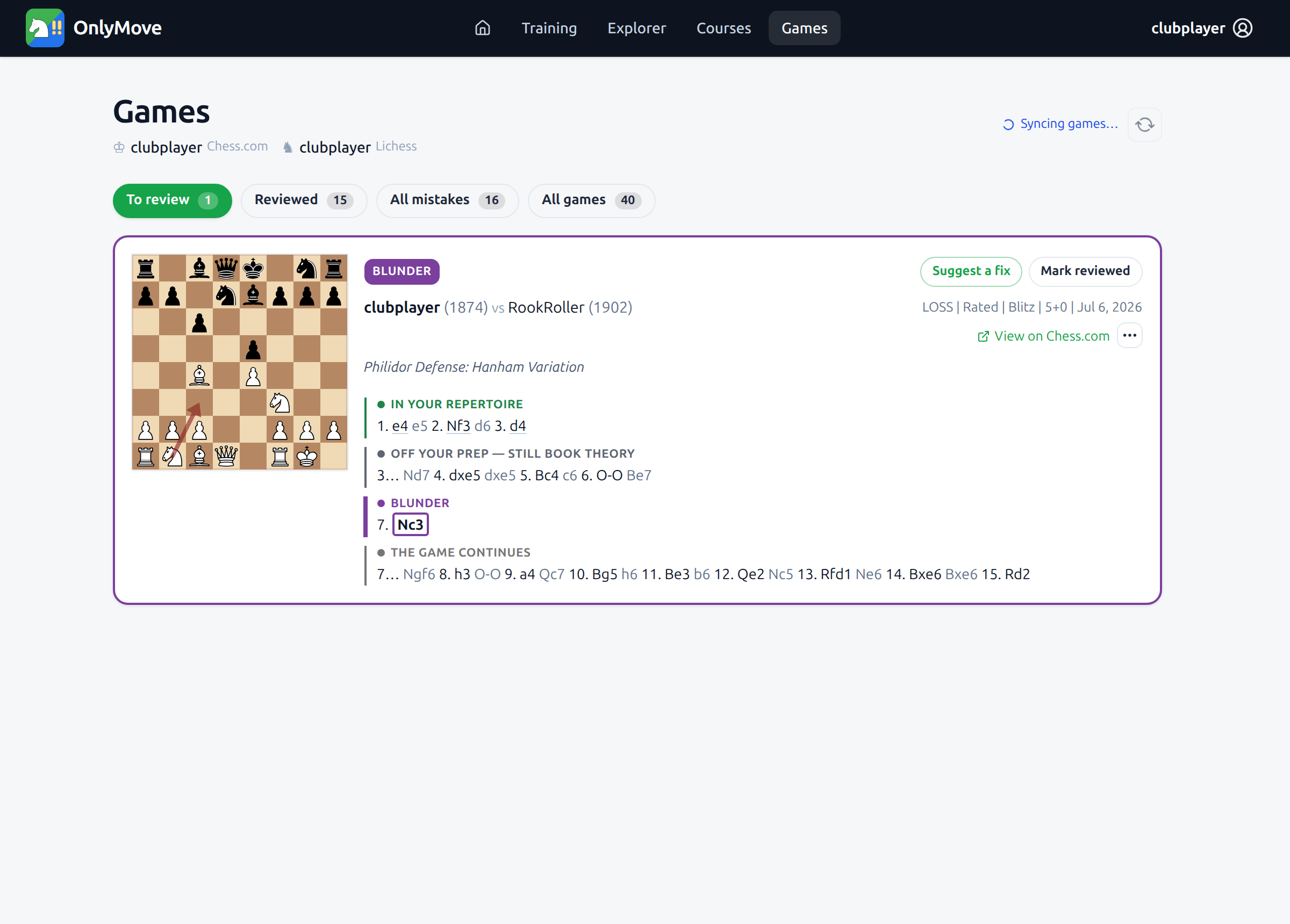
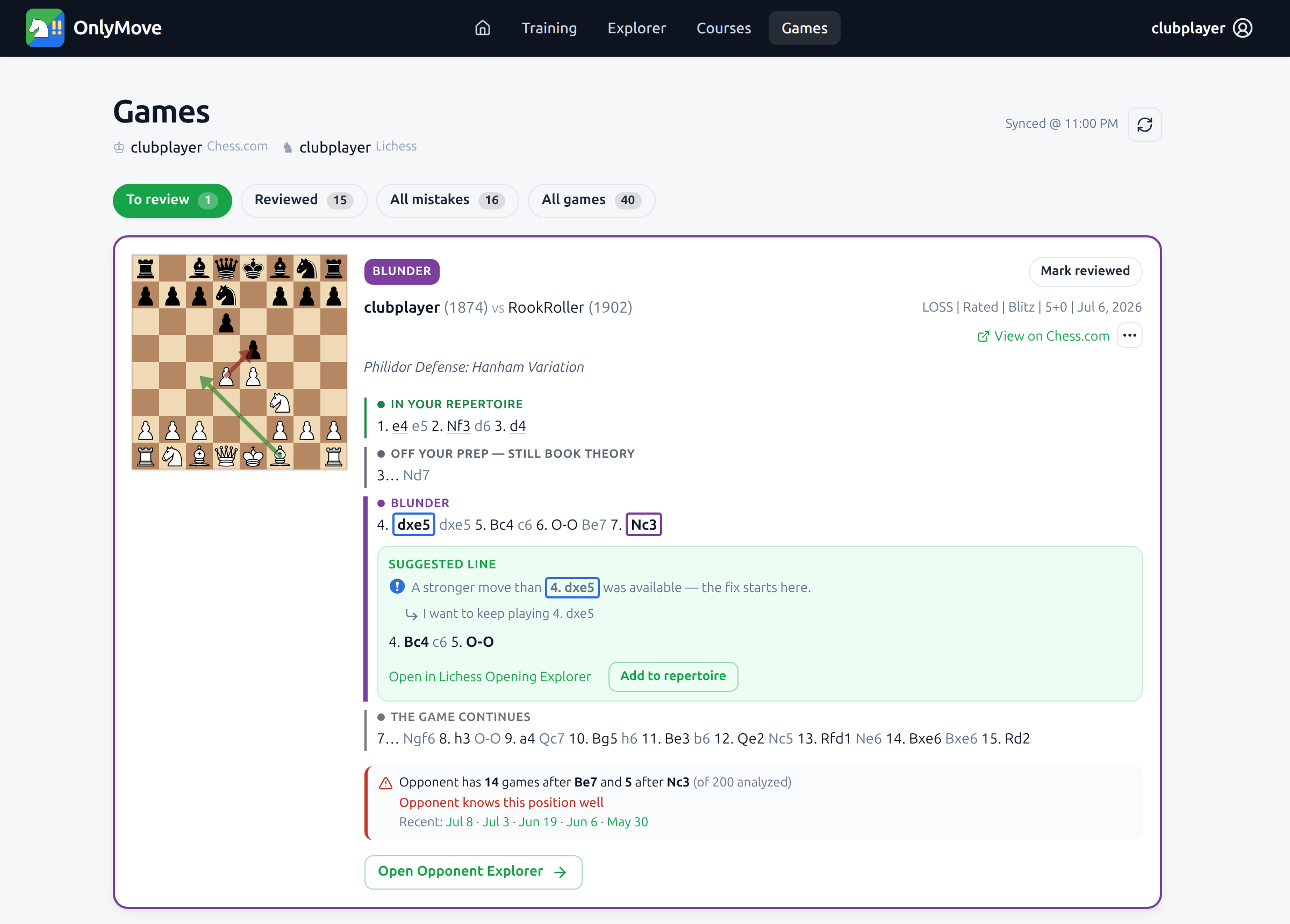
Each time you open OnlyMove it syncs your recent Lichess and Chess.com games and flags the ones where your opening slipped. The Games tab opens on your review queue – here a single game is waiting, tagged BLUNDER.
The moves are grouped so you can see exactly where things went wrong: the moves still In your repertoire, the ones that went Off your prep but were still book theory, the Blunder itself (7. Nc3), and how the game continued. Your prep here ran out after 3. d4; everything after that is fair game to improve.
2 · Ask for a fix
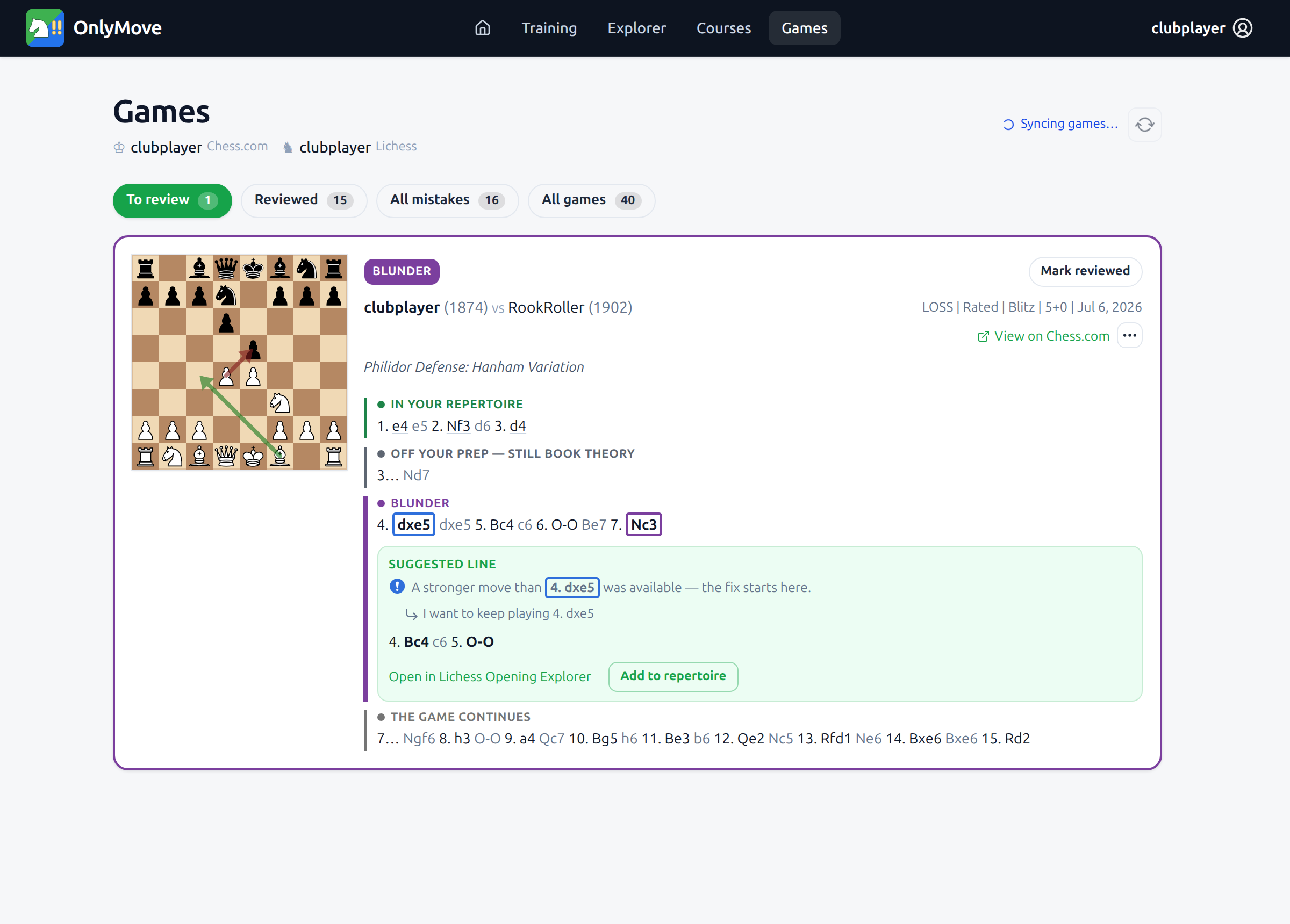
Click Suggest a fix. OnlyMove looks at every move after your prep ran out and proposes a stronger, principled line drawn from master play.
Notice that the fix does not start at the blunder. Even though 4. dxe5 was not itself a mistake, the analysis found the improvement begins there – so the suggested line starts at move 4 with Bc4. Prefer to keep your move? Choose I want to keep playing 4. dxe5 and OnlyMove re-analyzes from that point instead. You can also open both the game and the proposed line in the Lichess Opening Explorer.
3 · Check what your opponent knows
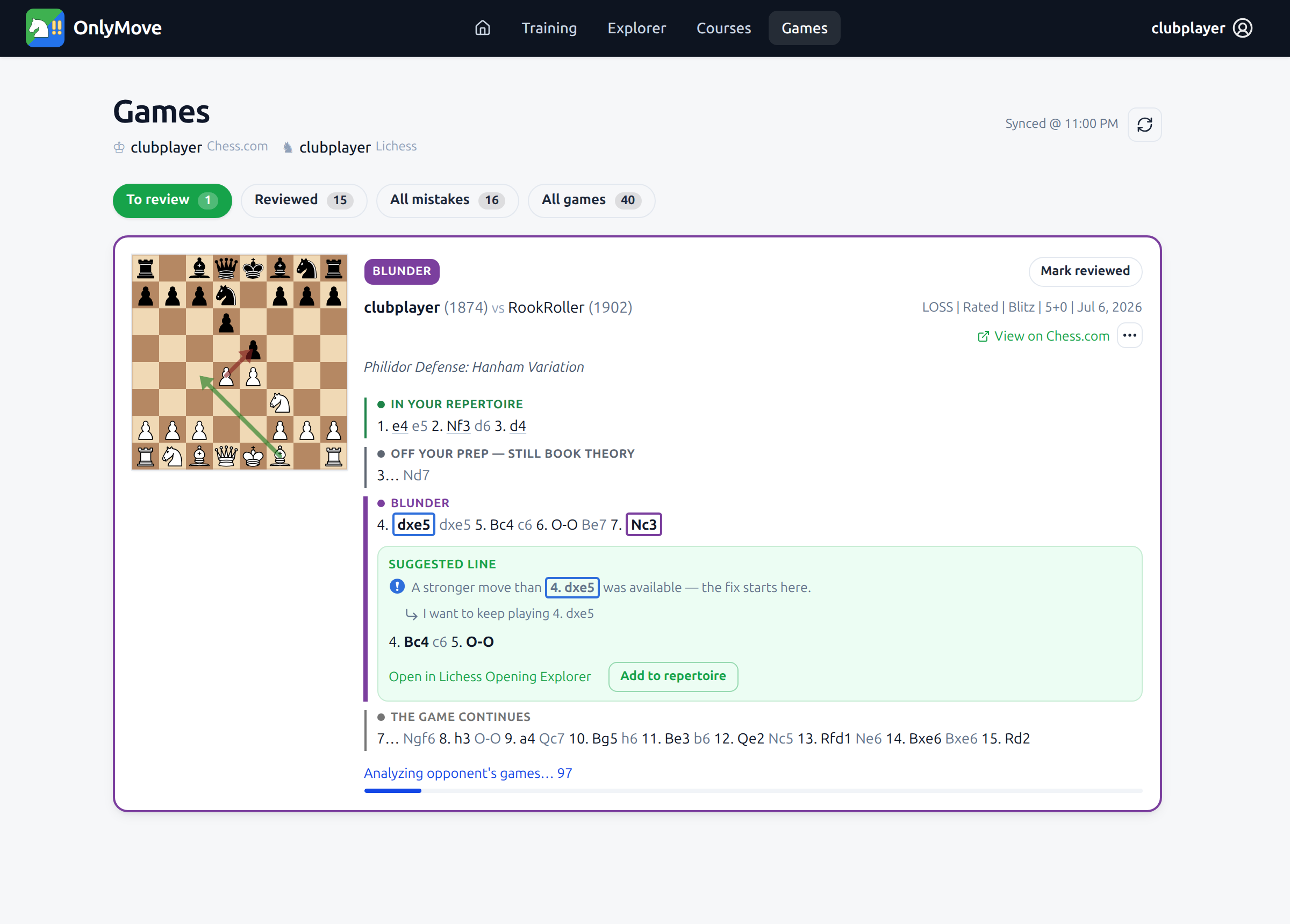
OptionalBefore committing time to a new line, it helps to know whether your opponent was in deep preparation or just playing natural moves. From the game’s ⋯ menu, choose Analyze opponent.
OnlyMove downloads and scans your opponent’s own games, watching for the same position you reached.
4 · See how well they know it
OptionalWhen the scan finishes, OnlyMove reports how often the opponent has reached this exact position and how they followed up. In this case they know it well – they have played it many times, and recently – so you are at a real disadvantage until you improve.
The recent dates link straight to those games if you want to look closer.
5 · Explore the opponent’s book
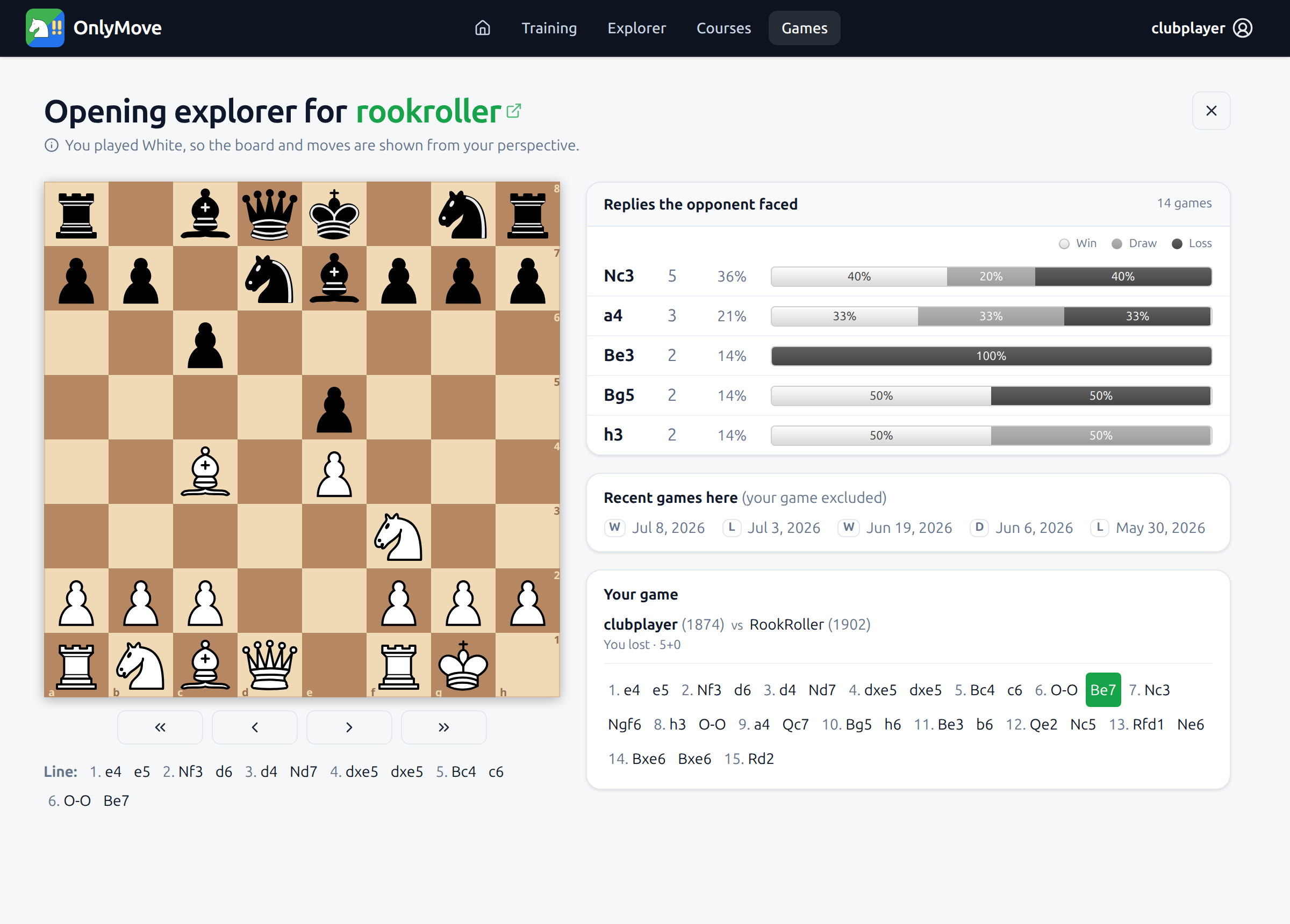
OptionalOpen Opponent Explorer to browse the position as a mini opening tree built only from your opponent’s games. You can see every reply they have faced from here, the win / draw / loss split for each, and the most recent games – all shown from your side of the board.
It is a quick way to understand their tendencies and pick a line that steers into territory they know less well.
6 · Save it, and close the loop
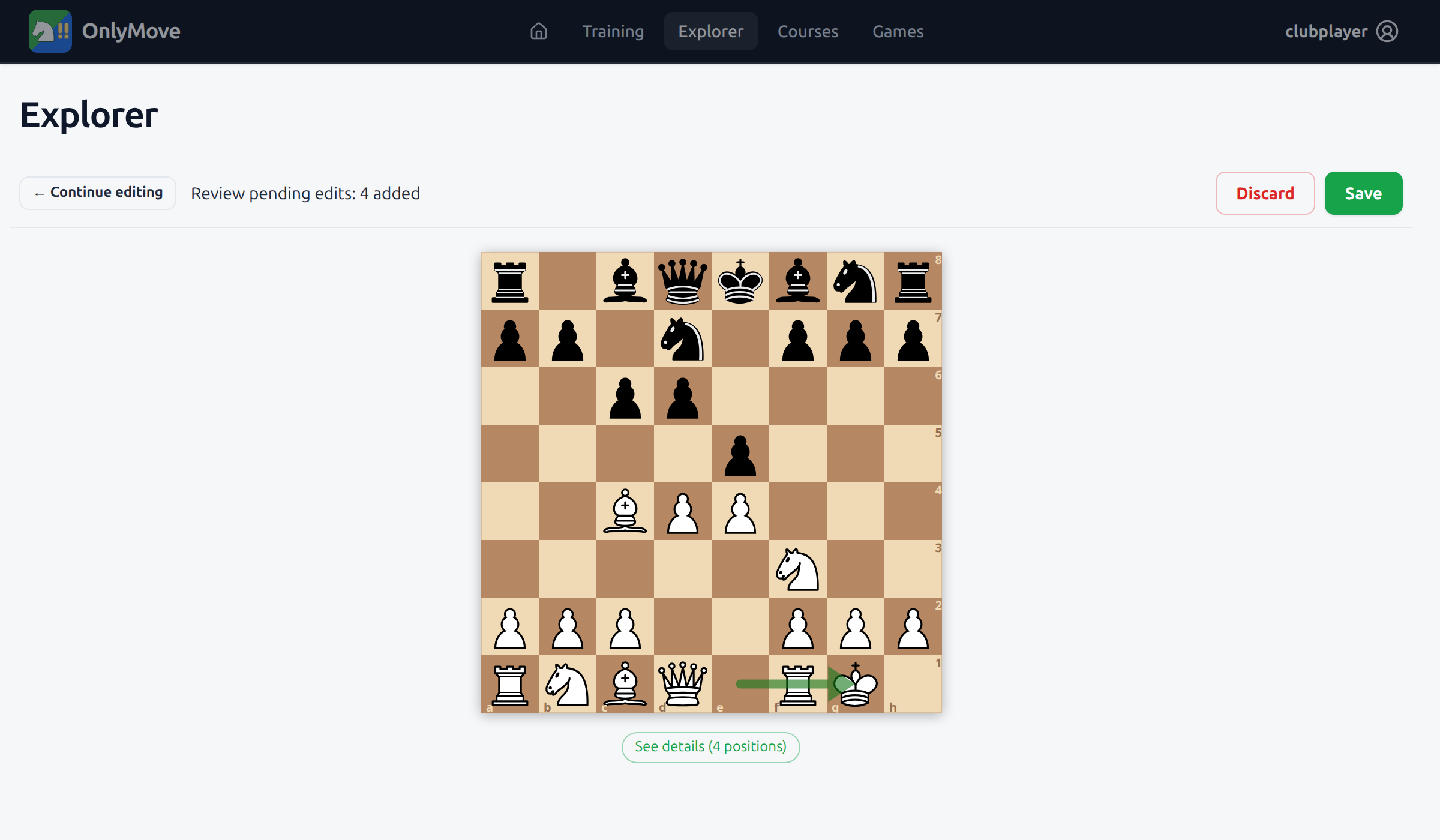
Ready to commit? Click Add to repertoire. OnlyMove stages the proposed line into the Explorer’s Review & Save flow and replays it starting from the last position already in your repertoire – so you can see you’re adding only what you meant to. Nothing is written until you press Save.
Back on the Games tab the game now reads Added to repertoire. Click Mark reviewed and it leaves your queue, which is now clear. From here the new line flows into Training, where spaced repetition schedules it so the fix sticks the next time you face this opening.