
Delete your account
You can permanently delete your OnlyMove account and everything stored with it yourself, straight from Settings – no email or request needed. This guide covers exactly what gets removed and how to do it.
Tip
Every image in this guide is a real product screenshot – only the data shown is mocked. Click any image to enlarge.
What deleting your account removes
Deleting your account permanently removes everything we store for you on the server:
- Your repertoire – every opening line you have built.
- Your FSRS progress – all spaced-repetition scheduling and review history.
- Your linked accounts – any connected Lichess or Chess.com handles.
- Your settings – training preferences and everything else tied to the account.
This is a complete, irreversible deletion: once it is done we cannot recover the account or its data, and there is no grace period or trash to restore from.
One thing sits outside your account: the usage and error diagnostics we collect to troubleshoot bugs are stored separately and are not part of the account record. This data is automatically discarded within 30 days, so it ages out on its own after you leave.
1 · Open Settings and find the Danger zone
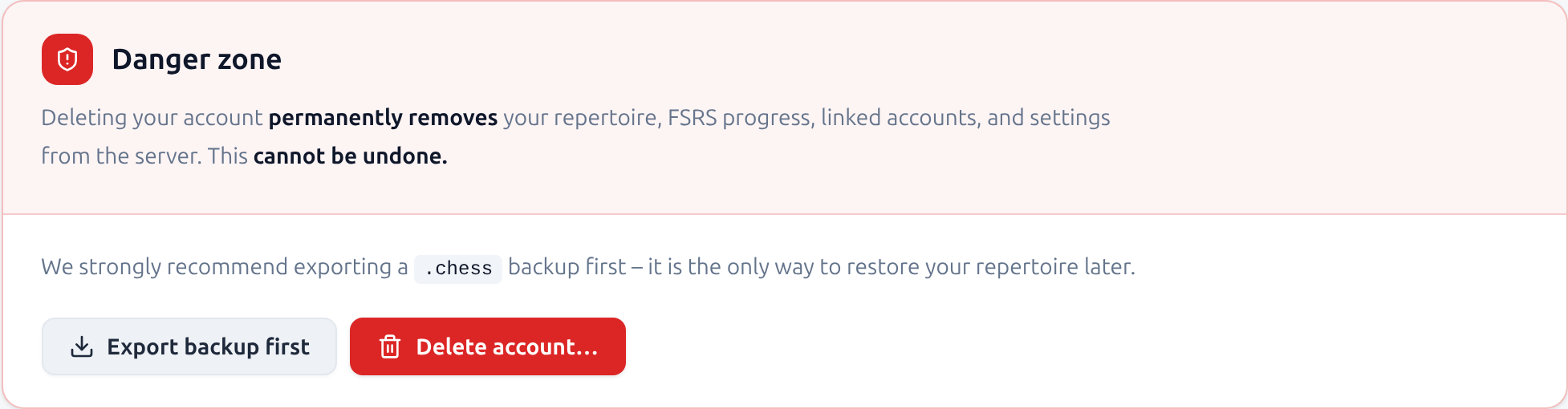
Sign in, then open Settings from the account menu in the top-right corner. Scroll to the bottom of the page to the Danger zone – the red-outlined card that holds account deletion.
2 · Export a backup first
RecommendedBecause deletion is permanent, click Export backup first to download a .chess file before you go any further. It is the only way to restore your repertoire later – if you ever come back, you can import it from this same page to pick up where you left off.
3 · Confirm the deletion
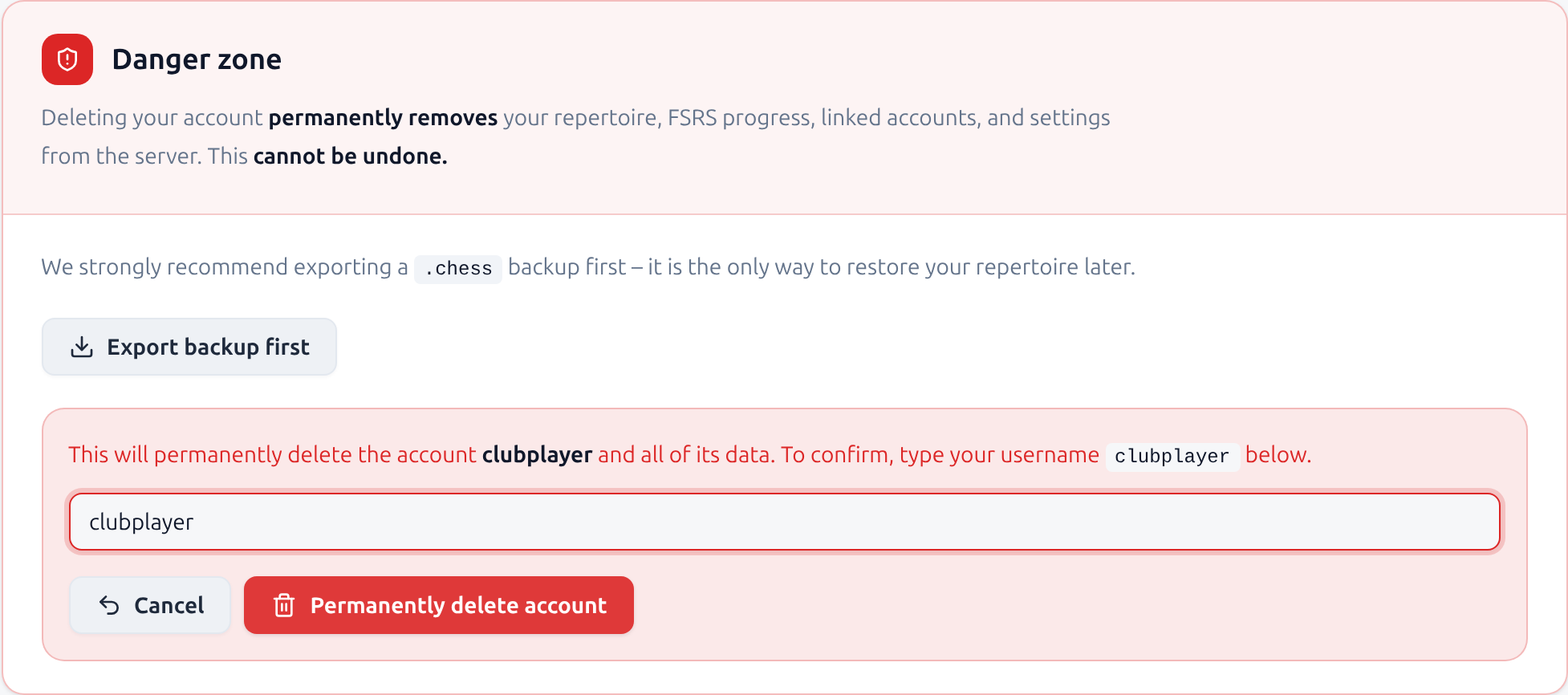
Click Delete account… to reveal the confirmation step. To make sure this is deliberate, type your username exactly as shown, then click Permanently delete account.
Not ready? Cancel closes the confirmation and leaves your account untouched.
4 · What happens next
OnlyMove deletes the account immediately and permanently. You are signed out, any linked Lichess connection is revoked, and you are returned to the start – there is nothing left to undo. If you exported a backup, keep it somewhere safe.
Need help, or prefer we do it?
If you would rather we delete the account for you, or you are having trouble reaching the Danger zone, email us at [email protected] and we will take care of it.